Floor Planning
Seating Charts Made Simple
No more sticky notes and paper charts. Create beautiful, professional seating arrangements with our visual drag-and-drop planner.
Key Features
Everything you need for perfect seating
Drag & Drop Interface
Simply drag tables and guests anywhere on your floor plan. Rearranging is as easy as moving a piece on a board.
Multiple Table Shapes
Choose from round, square, rectangular, or sweetheart tables. Each with customizable seating capacity.
Guest List Integration
Your guest list is right there in the sidebar. Drag names directly to seats and see who's still unassigned.
Auto-Build Tables
Let Amovera calculate how many tables you need based on your guest count and preferred table size.
One-Click Arrangement
Arrange all tables in a neat grid with a single click. Perfect for quick layouts or starting points.
Print-Ready Charts
Export your seating chart for your venue coordinator or print table cards for each guest.
Visual Table Layout
See your entire venue floor plan at a glance. Position tables exactly where they'll be on the big day.
Drag & Drop Tables
Position tables anywhere on your canvas with simple drag and drop
Zoom & Pan
Zoom in for detail work or zoom out to see the full picture
Table Rotation
Rotate tables to fit your venue layout perfectly
Fit to Screen
One click to see your entire seating arrangement
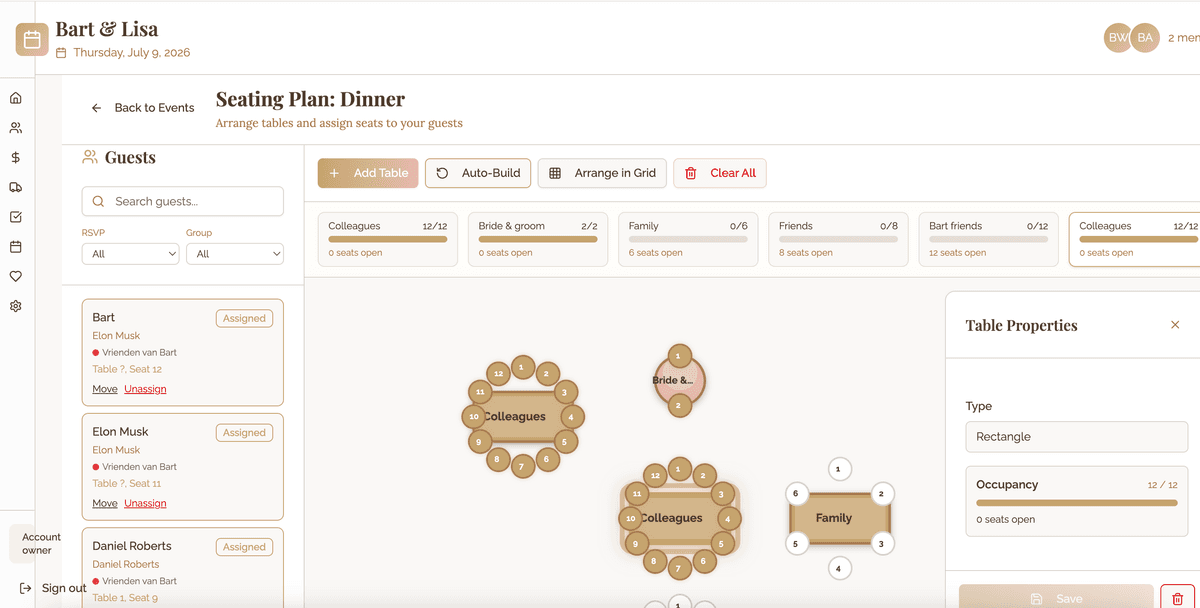
Table Shapes for Every Venue
Choose from a variety of table types to match your venue and style.
Round Tables
Classic banquet style, seats 6-12
6-12 guestsSquare Tables
Intimate settings, seats 4-8
4-8 guestsRectangle Tables
Long tables, seats 6-20
6-20 guestsSweetheart Tables
Just for the couple
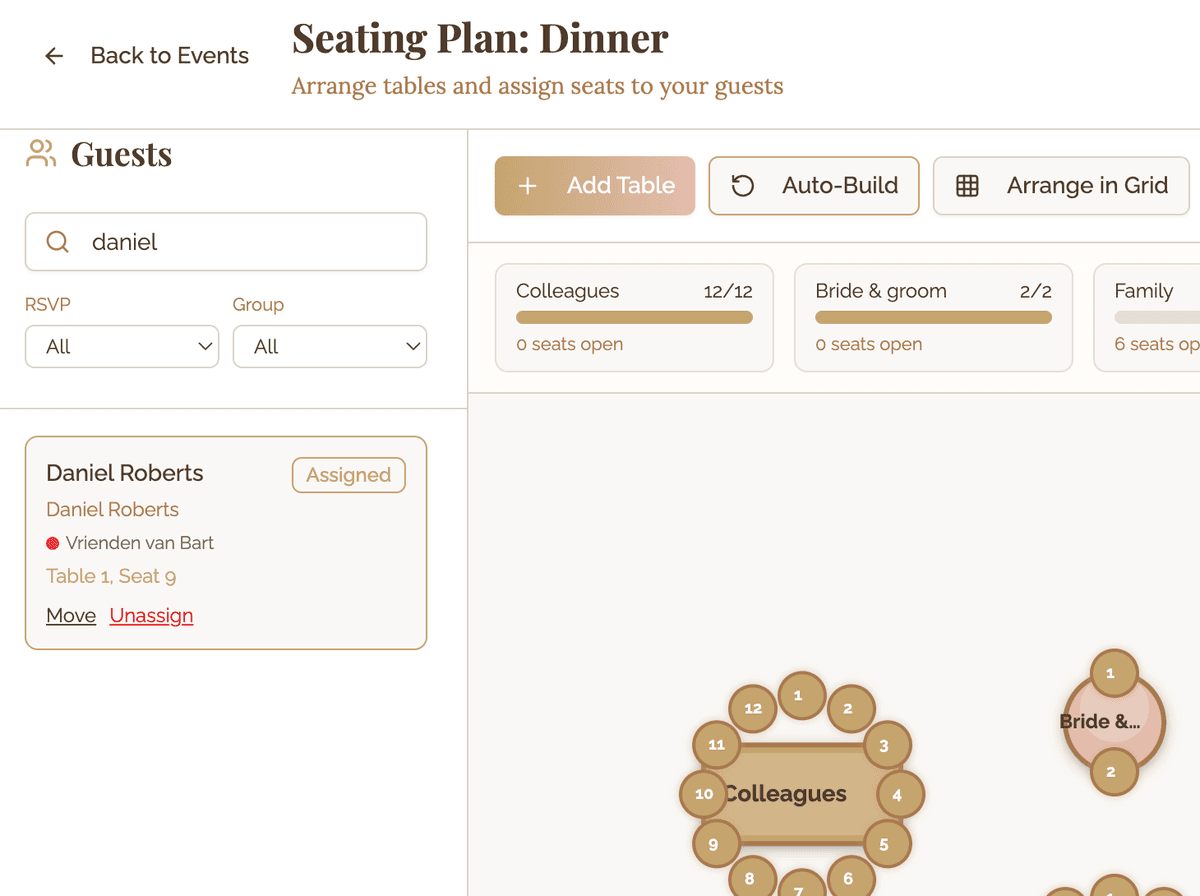
2 guestsAssign Guests with Ease
Your confirmed guests appear in a sidebar next to your seating chart. Simply drag and drop them onto seats.
Guest Sidebar
All your attending guests listed and ready to be assigned
Drag to Seats
Simply drag a guest name to any empty seat on any table
Quick Reassignment
Changed your mind? Just drag the guest to a different seat
Unassigned Tracking
Always know who still needs a seat with the unassigned count
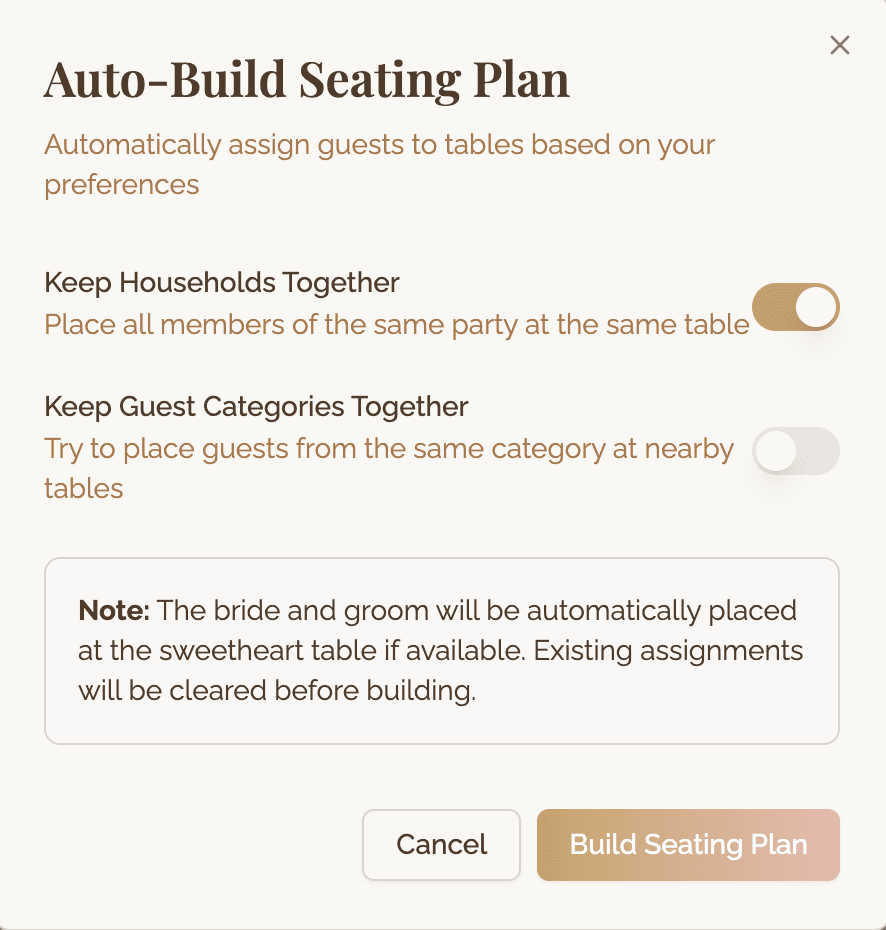
Smart Auto-Build
Not sure how many tables you need? Let Amovera calculate it for you based on your guest count and preferred table type.
Guest Count Analysis
Automatically calculates how many tables you need
Table Type Selection
Choose your preferred table shape and size
One-Click Setup
Generate all tables in seconds with auto-build
Grid Arrangement
Automatically arrange tables in a neat grid layout
Works with Your Guest List
Your seating chart is automatically connected to your RSVP data
Guests RSVP
Guests confirm attendance through your RSVP links
Build Your Layout
Add tables to match your venue floor plan
Drag & Drop
Assign confirmed guests to their perfect seats
Ready to plan your seating?
Join the waitlist and create beautiful seating charts without the stress.
Be the first to know when we launch