Financial Planning
Wedding Budget Under Control
Stop stressing about wedding costs. Our budget tracker helps you plan, allocate, and track every penny so you can focus on celebrating your love.
Key Features
Everything you need to manage your wedding budget
Set Your Total Budget
Define your overall wedding budget and watch as Amovera helps you stay on track throughout your planning journey.
Visual Budget Breakdown
See exactly where your money is going with interactive pie charts and bar graphs showing spending by category.
Track Every Expense
From venue deposits to final payments, track every expense with status updates: planned, committed, partially paid, or fully paid.
Payment Timeline
Visualize your spending over time with a cumulative payment chart. See how your budget is being used as the wedding approaches.
Smart Alerts
Get notified about upcoming due dates, overdue payments, and when categories are approaching or exceeding their budgets.
Multi-Currency Support
Plan your wedding in any currency. Support for USD, EUR, GBP, CAD, AUD, and more.
Budget Overview at a Glance
Get a complete picture of your wedding finances with our intuitive dashboard. Know exactly how much you've spent, what's committed, and what's left.
Budget Health Indicator
Instantly see if you're on track with color-coded health status
Paid vs Allocated
Distinguish between money already spent and committed expenses
Remaining Budget
Always know exactly how much flexibility you have left
Over-allocation Warnings
Get alerted when your commitments exceed your total budget
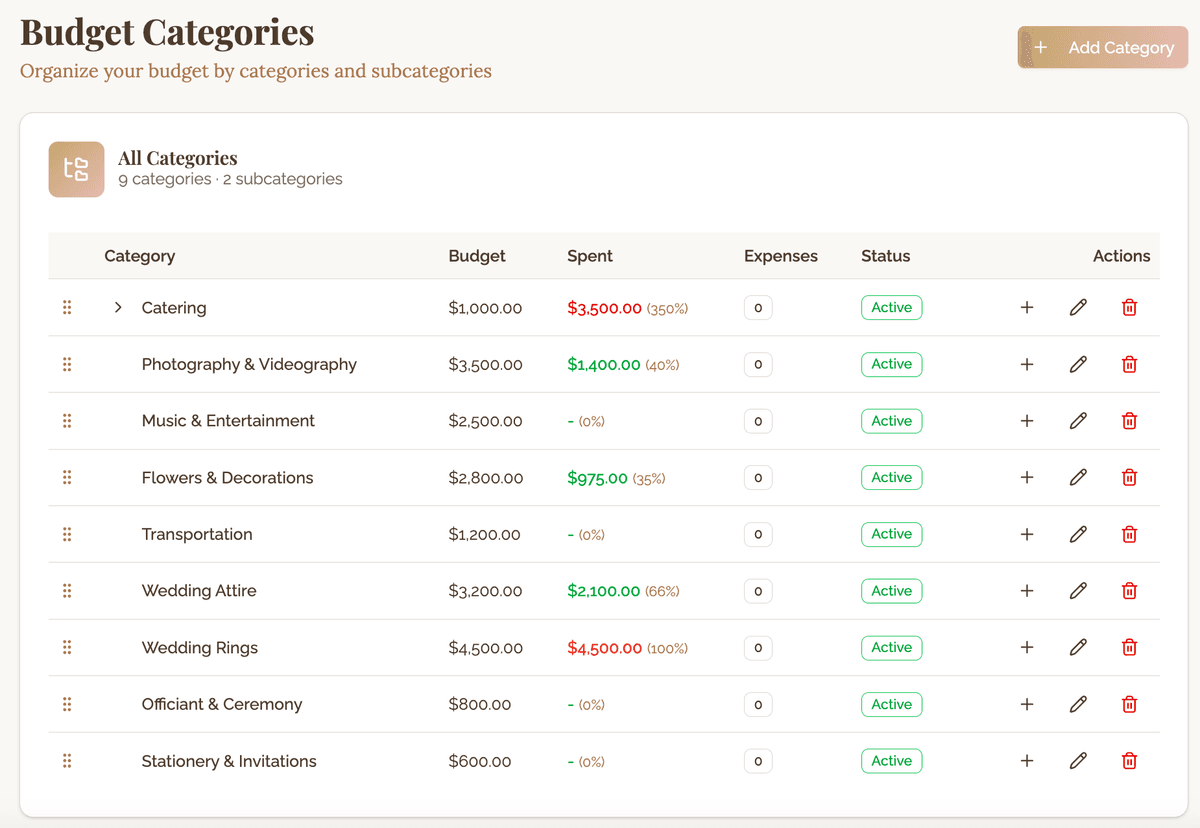
Organize by Categories
Create custom categories like Venue, Catering, Photography, and more. Set budgets per category and track spending against your plans.
Main Categories & Subcategories
Organize expenses hierarchically for detailed tracking
Budget by Amount or Percentage
Set category budgets as fixed amounts or percentages of total
Category-Level Charts
Compare budgeted vs actual spending for each category
Automatic Rollup
Subcategory spending automatically counts toward parent categories
Track Individual Expenses
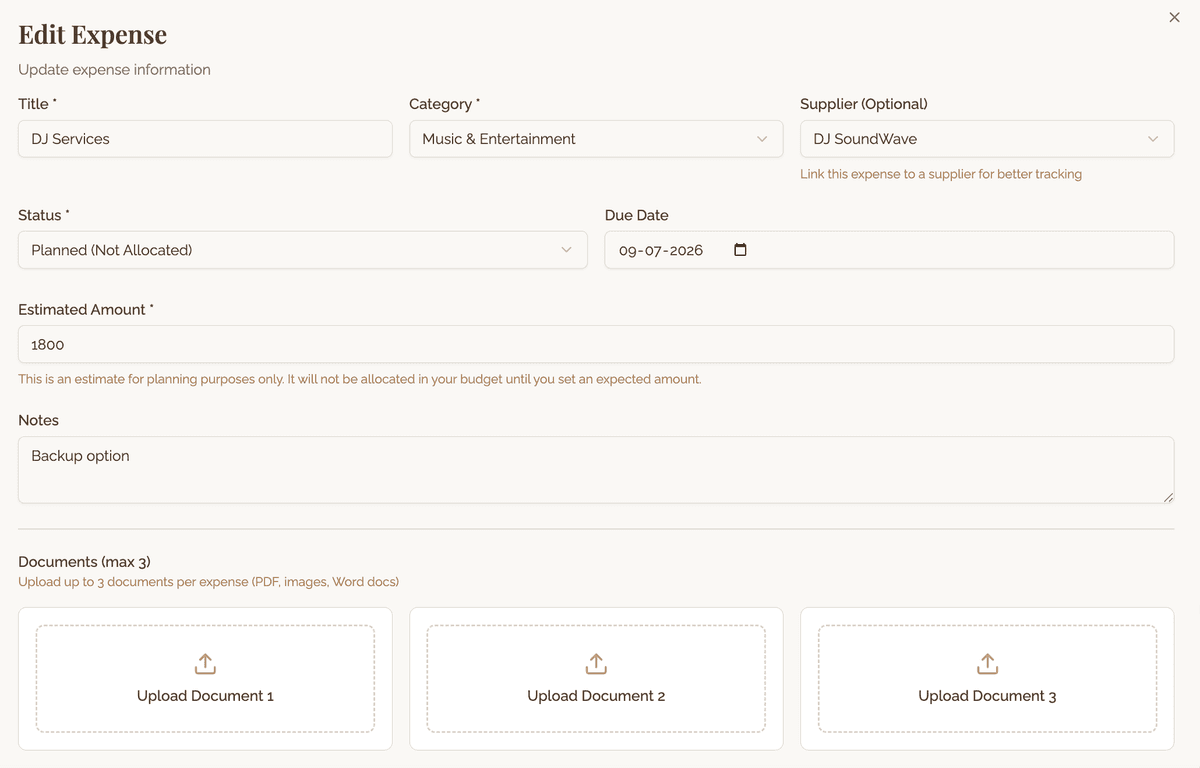
Every wedding expense gets its own tracking card. Add payments, attach documents, link to vendors, and monitor progress.
Expense Status Workflow
Track expenses from planned → committed → partially paid → paid
Multiple Payments
Record deposits, installments, and final payments separately
Due Date Tracking
Set due dates and get reminders before payments are due
Link to Vendors
Connect expenses to your vendor contacts for easy reference
Smart Budget Alerts
Never miss a payment deadline or accidentally overspend. Amovera watches your budget and alerts you when action is needed.
Upcoming Due Dates
Payments due within the next 7 days
Overdue Payments
Past-due expenses that need attention
Over-Budget Categories
Categories exceeding their allocated budget
Budget Over-Allocation
When total commitments exceed your budget
Expense Status Workflow
Track each expense through its complete lifecycle
Planned
Expense identified, not yet committed
Committed
Contract signed, payment expected
Partially Paid
Deposit or installment made
Paid
Fully paid, nothing left to pay
Ready to master your wedding budget?
Get started and take control of your wedding finances from day one.
Lifetime access • No subscription • Plan together